
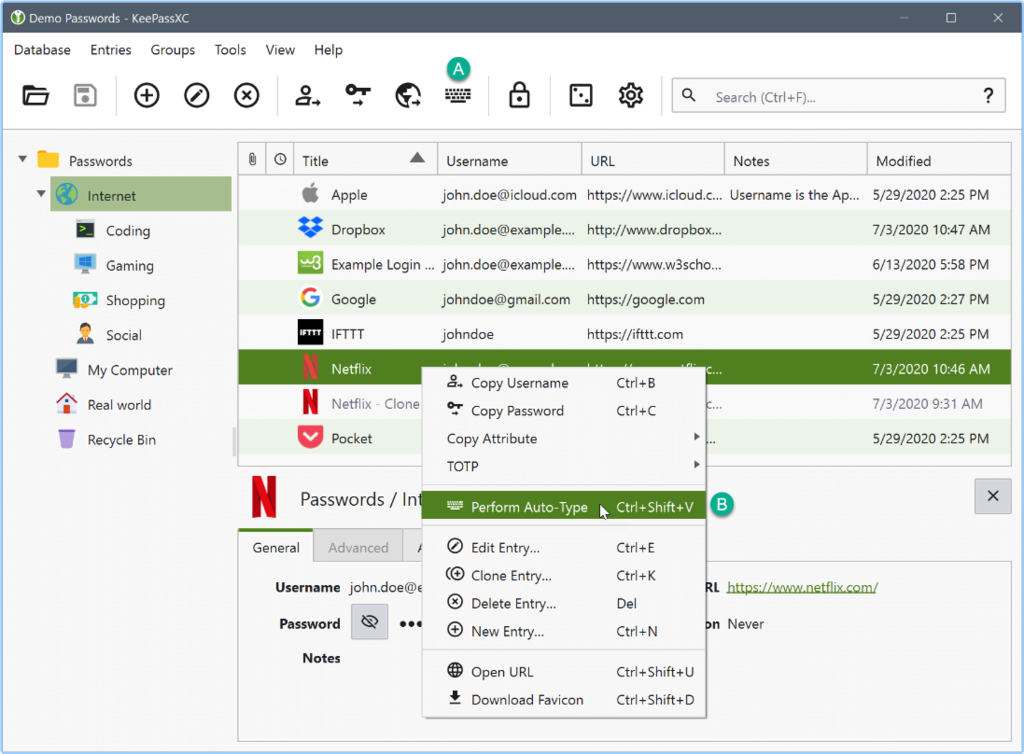
KeePassXC is a free and open-source password manager that allows users to store and organize their passwords in an encrypted database securely. It offers a user-friendly interface, robust security features, and cross-platform compatibility, making it an excellent choice for Mac users seeking a reliable password management solution.
With its robust features, cross-platform compatibility, and strong encryption, KeePassXC has gained a reputation as a reliable password management solution.
✔�� Secure Password Storage: KeePassXC stores passwords in an encrypted database, ensuring your sensitive information remains protected from unauthorized access.
✔�� Strong Encryption: KeePassXC uses industry-standard encryption algorithms such as AES (Advanced Encryption Standard) and Twofish to secure passwords.
✔�� Password Generator: KeePassXC includes a built-in password generator that allows you to create strong, unique passwords for your online accounts.
✔�� Auto�� -Type Functionality: KeePassXC can automatically enter your usernames and passwords into websites and applications, saving you time and reducing the risk of keyloggers capturing your keystrokes.
✔�� Browser Integration: KeePassXC integrates with popular web browsers, allowing you to autofill login credentials directly from your password database.
✔�� Cross-Platform Compatibility enables you to access your password database across different devices.
✔�� Two-Factor Authentication (2FA) Support: KeePassXC supports two-factor authentication, adding an extra layer of security to your password manager.
✔�� Password Health Check: KeePassXC can analyze your passwords and provide insights into their strength and potential vulnerabilities.
✔�� File Attachments and Notes: KeePassXC allows you to attach files and add notes to your password entries, making it a versatile tool for storing additional information.
�� Technical Details and System Requirements
✔Intel/Apple Silicon processor
�� FAQs
Q: Is KeePassXC free to use?
A: Yes, KeePassXC is open-source software available for free.
Q: Can I sync my KeePassXC database across multiple devices?
A: KeePassXC does not offer built-in cloud synchronization, but you can use third-party file-syncing services like Dropbox or Google Drive to sync your password database across multiple devices.
Q: How secure is KeePassXC?
A: KeePassXC prioritizes security and uses robust encryption algorithms to protect passwords. Additionally, it is recommended to use a strong master password and enable two-factor authentication for added security.
Q: Can I import passwords from other password managers into KeePassXC?
A: Yes, KeePassXC provides import options for various password manager formats, allowing you to transfer your passwords quickly.
Author: KeePassXC
https://keepassxc.org/

⭐️ KeePassXC 2.7.9 + Portable ✅ (118.68 MB)
NitroFlare Link(s)
https://nitroflare.com/view/C16434153B72398/KeePassXC.2.7.9..Portable.rar
RapidGator Link(s)
https://rapidgator.net/file/c238eb083aeeb837ba22[цензура]91854df2e/KeePassXC.2.7.9..Portable.rar

