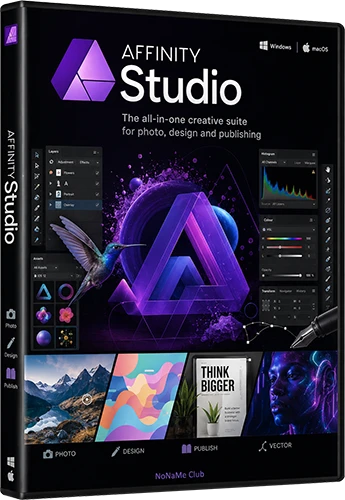
Program version: 3.2.1.4425
Interface language: Ru, En, others
Treatment: not required (the installer has already been treated)
System requirements:
OS: Windows 10 or 11 (64-bit)
CPU: x64-based processor with SSE2 support
RAM: 4GB minimum (8GB+ recommended)
Storage: 2.5GB free space
Graphics: DirectX 10-compatible GPU
Input: Mouse, stylus, or equivalent input device
Display: 1280x768 minimum resolution
Description:
Affinity Studio is a professional graphics suite that combines three powerful applications: Affinity Photo (image editor), Affinity Designer (vector graphics), and Affinity Publisher (design and layout). Designed as a full-fledged alternative to Adobe Creative Cloud, this suite of tools offers excellent performance, a modern interface, and a one-time purchase model with no monthly subscription. The program supports Windows, macOS, and iPad, enabling designers, photographers, and layout professionals to create work of any complexity-from quick photo edits to multi-page brochures and complex vector illustrations. Affinity Studio's hallmark is its smooth operation, even with large files, utilizing all processor cores, and having no inherent image size limits.
Program Features:
A unified ecosystem
The three applications (Photo, Designer, and Publisher) share a common engine and are fully compatible with each other. Files can be freely moved between applications, preserving all layers, effects, and settings.
Professional work with RAW
A built-in RAW photo processing module with a regularly updated database of supported cameras and advanced color correction settings.
Non-destructive editing
All adjustments, filters, and effects are applied in real time to the original image, without altering the original. Any action can be undone or adjusted at any time.
High performance
The apps run on a custom engine optimized for modern multi-core processors. Opening and processing files several gigabytes in size is virtually instantaneous.
Support for Photoshop formats
Import and export PSD files with correct display of layers, masks, and effects-easily share projects with Adobe Photoshop users.
Integration with external programs
Support for importing files from Capture One, exporting content to DaVinci Resolve (with automatic timeline updates), and automating tasks via Claude AI Desktop.
Working with vector graphics
A powerful toolkit for creating curves, vector brushes, gradients, and scars. It supports commands for joining curves, converting pixel selections to curves, and customizable drawing settings.
Layout and typography
Professional tools for layout of multi-page documents, working with master pages, creating hyperlinks, support for OpenType fonts, and the ability to use images as bullet points.
Changes in this version:
RePack Features:
General information:
Type: installation
Languages: Ru, En, multilingual
Activation: patch
Command line options:
Silent installation: /S
Select installation location: /D=PATH
The /D=PATH parameter should be specified last.
Example: Canva.Affinity.v3.1.0.4231.exe /S /D=C:\MyProgram
Note! During installation, you will be prompted to install adware. Uncheck this box if desired.
⋆��- - - - -☽───⛧ [color=#ff3333]⤝❖⤞ ⛧───☾ - - - -��⋆[/color]
�� Affinity Studio 3.2.1.4425 RePack by KpoJIuK (452 MB)
��NitroFlare
https://nitroflare.com/view/3652B4B1F20EABD/Affinity.Studio.3.2.1.4425.RePack.by.KpoJIuK.rar?referrer=1635666
��RapidGator
https://rapidgator.net/file/507278df5c5079968645053396de9626/Affinity.Studio.3.2.1.4425.RePack.by.KpoJIuK.rar

